
Resistor colour codes: A confession
Here is an uncomfortable truth about electronics work. After decades of building circuits, soldering components, and debugging hardware, I still cannot reliably remember resistor colour codes.
Black, brown, red, orange, yellow. Wait, which one is 3? Is violet 7 or 9? And do not even start on the tolerance bands.
The code we all forget
Resistor colour codes are one of those things everyone learns early and then spends the rest of their career quietly looking up. You might remember that brown is 1 and black is 0, but by the time you get to grey and white, you are reaching for a reference chart.
The standard mnemonic does not help much either. Most of the memorable ones are inappropriate for polite company, and the polite ones are impossible to remember.
It gets worse when you add more bands. Four band resistors are manageable. Five band resistors with tighter tolerances start to hurt. Six band resistors with temperature coefficients? Now you are just showing off.
Age and eyesight
Then there is the practical problem that nobody talks about. As you get older, your eyesight changes. Those tiny resistor bands that were easy to read at 25 become a squinting exercise at 45.
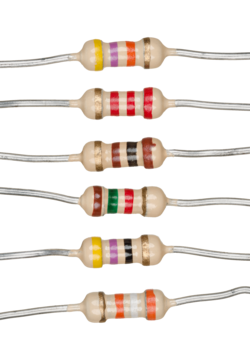
Cheap resistors make this worse. The colours are often inconsistent. Orange looks like red. Brown looks like maroon. Grey looks like white in certain light. You end up holding the component at different angles, trying to catch the colour under better lighting, and second guessing yourself.
A magnifier helps. A decent magnifying lamp is one of the best investments for a workbench. But even with magnification, there is still the mental load of converting colours to numbers and calculating the value.
The app problem
There are plenty of resistor colour code apps and websites. Most of them are old, clunky, or designed for a screen size that made sense in 2010. Many have not been updated in years. Some are buried in app stores with poor search rankings. Others are ad-heavy or require unnecessary permissions.
The web-based tools are often better, but many suffer from poor mobile layout or unclear interfaces. When you are holding a component in one hand and your phone in the other, you need something that works immediately without fuss.
A better tool
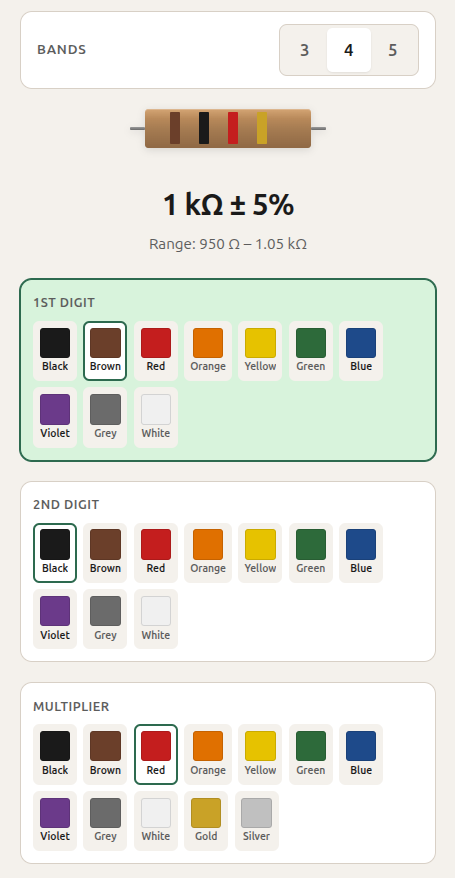
So I built resistor.refactor.red.
It does one thing. You tap the colour bands in order, and it tells you the resistance value and tolerance. No ads, no login, no tracking, no clutter. It works on mobile and desktop. It handles 4, 5, and 6 band resistors.
The interface is clean. Large touch targets for each colour. Clear visual feedback. The calculated value updates as you select bands. If you make a mistake, you can reset and start again.
It is built as a progressive web app, which means it works offline once you have loaded it. Useful when you are in a workshop with patchy connectivity or want to avoid mobile data usage.
I built this mostly for fun and because I needed it myself. If you find yourself squinting at a resistor and muttering colour sequences under your breath, try it: resistor.refactor.red
If it is useful for you, use it. If not, no worries. I will keep using it either way.